Sometimes you may not be able to send an email if the attachment is too large.
We suggest the maximum size of attachments in one email is 5 MB (to check the size of a file, right click on it and select Properties). If you attach files larger than that the email software will take a very long time to send the email or return an error/failed message.
There are a suggestion on how you can prepare your document for email distribution.
You can compress the size of files using a Windows program installed on the computer (WINZIP or 7ZIP).
- Select the files to compress
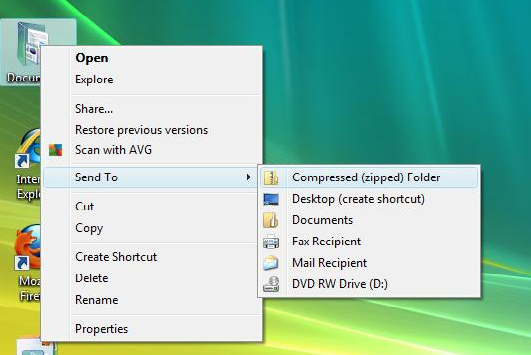
- Right-click on the mouse and choose Send to/ Compressed (zipped) folder
- A new ZIP folder will appear with a copy of the compressed files.