It’s important to care for your computer so it will continue to function well and have a long life span.
Here are a few things to keep in mind to help it last longer and require less maintenance:
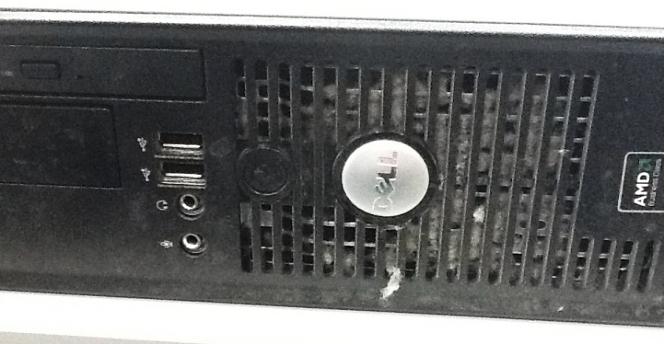
- Avoid dusty or dirty work environments; regular vacuuming of the carpet and wiping down of desks can stop a heavy build-up of dust collecting on the computer, which can cause mechanisms to overheat
If your computer looks like the one in this picture, and it’s a computer we have provided you, please call us to arrange to have it cleaned.
Normal household cleaning sprays, liquids and vacuuming can be harmful to your computer.
You can use a microfiber cloth to wipe the monitor screen and lightly shake dirt out of the keyboard.
- Avoid eating or drinking near the computer, keep liquids well away to avoid spillages.
- Keep magnets away; magnetic fields can erase information
- Don’t place extra things on the computer case; as it’s not made to support extra weight
- Install a surge protector; this will protect your computer’s power supply from electrical surges, refer to our Tip – Surge Protection for more information
You should also consider these tips when using your computer…
- Save your work first and often; should a program or computer crash suddenly you won’t loose your work
- Close all programs before shutting down properly; many processes are running in the background, pressing the off button without shutting down properly can cause file corruption and system errors
- Check Anti-virus software; ensure Anti-virus software is installed and run automated updates
- Empty the Recycle Bin; Files deleted from your computer are moved to the recycle bin, but they still take up hard-disk space, to permanently delete files, right-click on the Recycle Bin icon and choose ‘Empty Recycle Bin’.